I’m excited to announce Relay, a truly native macOS database client I’ve been building. The one your Mac deserves.
Relay is now available for download and purchase.
Why I Built Relay
I work a lot with data across multiple database engines, including geospatial formats like MBTiles. I wanted a native macOS app that allowed me to quickly browse data across different databases, along with visual debugging of mbtiles. Existing applications were either focused on one engine or just too expensive. That’s why Relay exists.
Supported Engines
I designed Relay to bring all your databases together in one place, with workflows tailored to each engine:
- PostgreSQL
- MySQL
- SQLite
- MongoDB
- Redis
- DuckDB
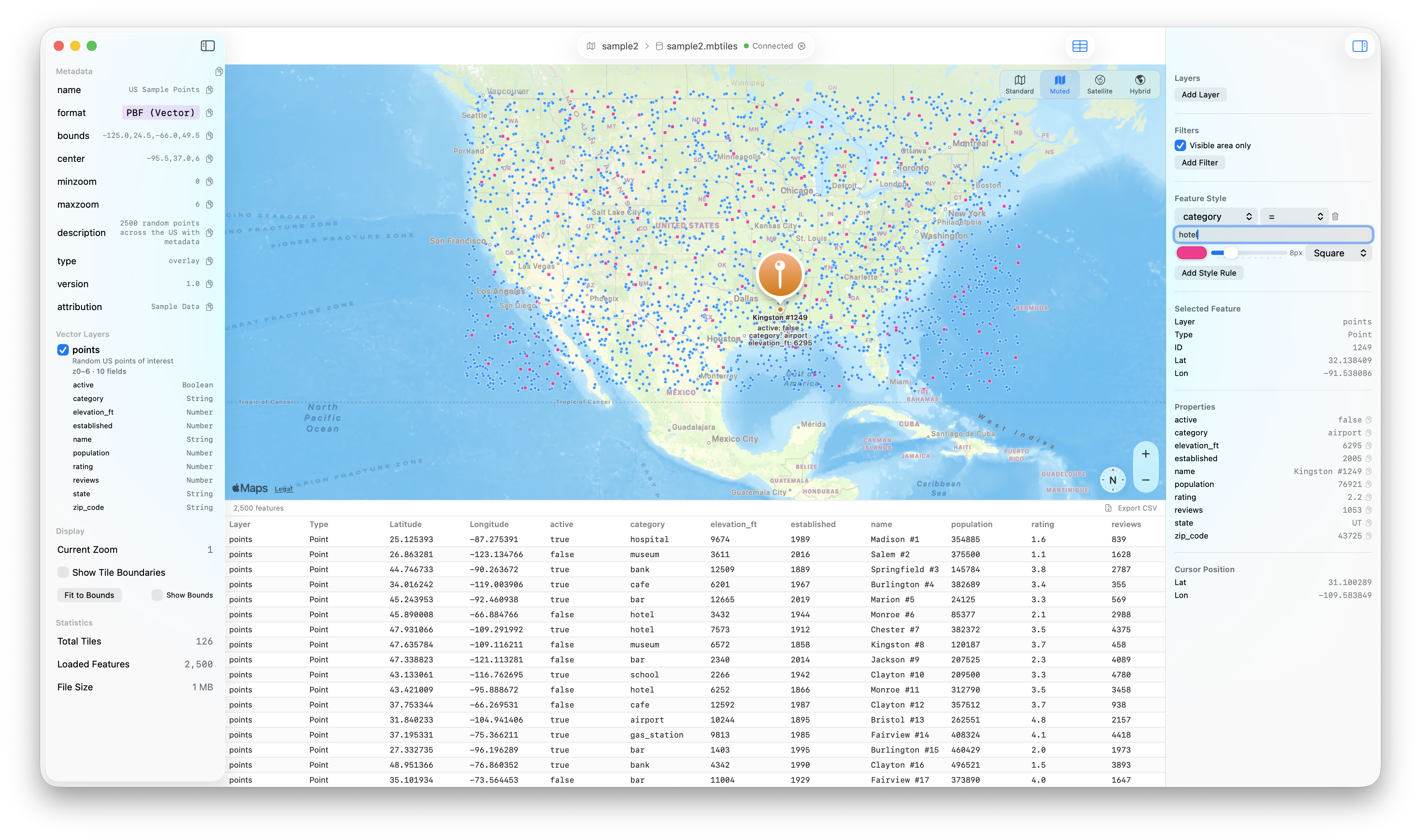
- Geospatial formats (like MBTiles)
Feature Highlights
Native Performance
Relay launches instantly and feels right at home on your Mac. I’ve kept the overhead low and the behavior macOS-native throughout.
AI Assistant
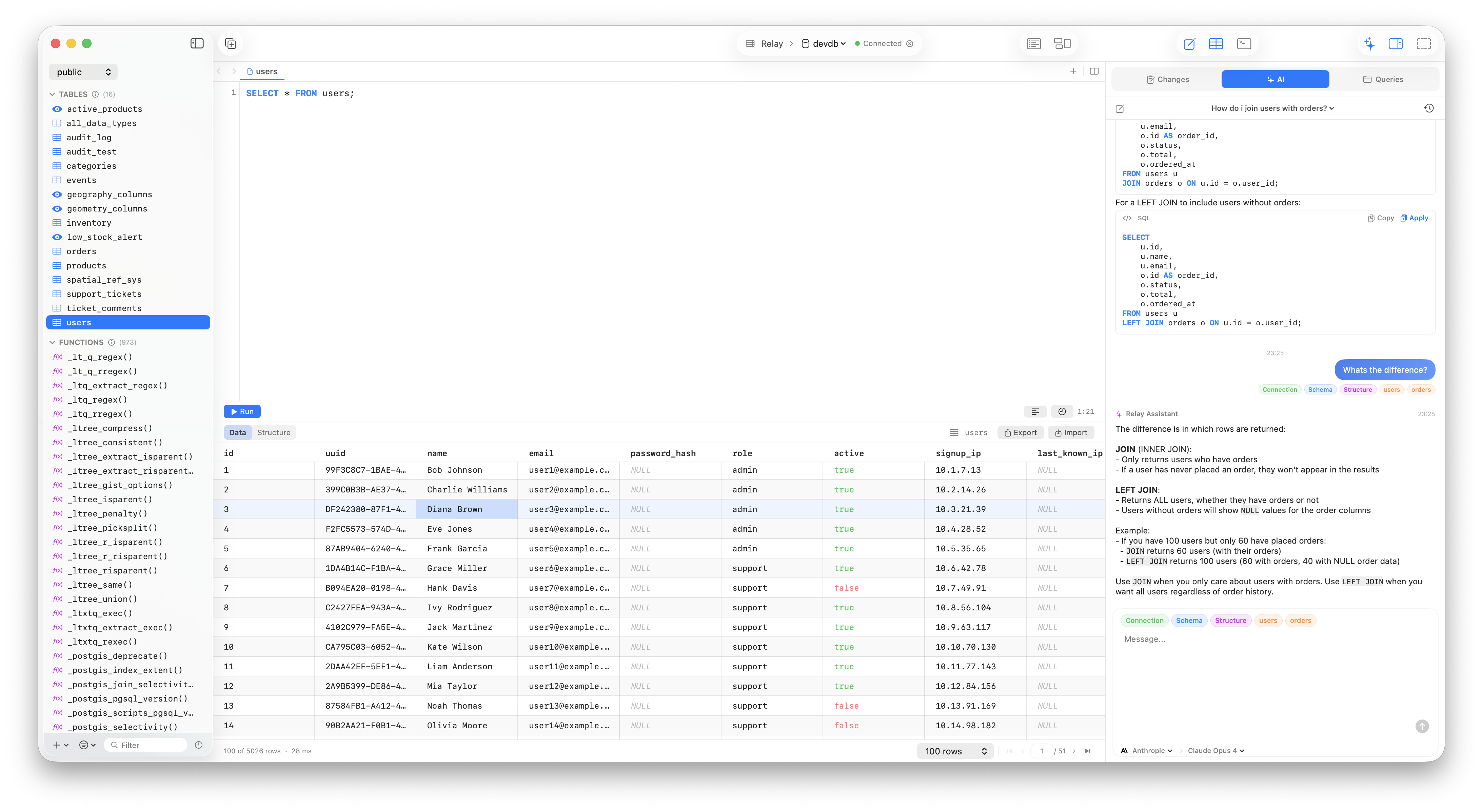
I’ve integrated schema-aware AI to help you write, fix, and explain queries. You can use your choice of models: Anthropic, OpenAI, Google, GitHub Copilot, Vercel, Bedrock, or a local LM Studio instance. AI Assistant is BYOK so you have full control of your data with the provider of your choice.
Advanced Query Editor
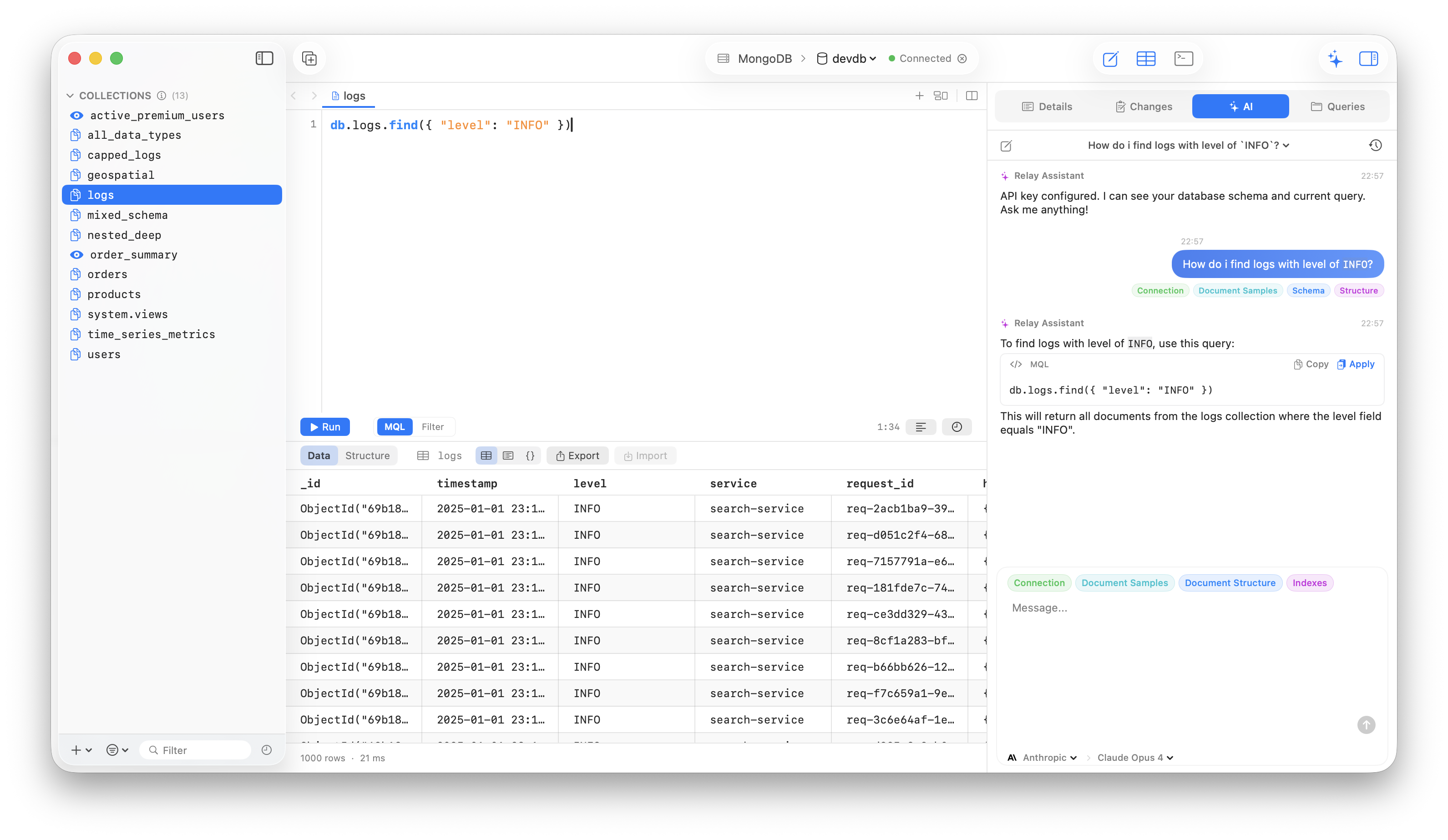
- Autocomplete and shadow suggestions
- Split panes and slash prompts
- Language-aware editing for SQL, Mongo shell, JSON filters, and Redis commands
ERD Diagrams
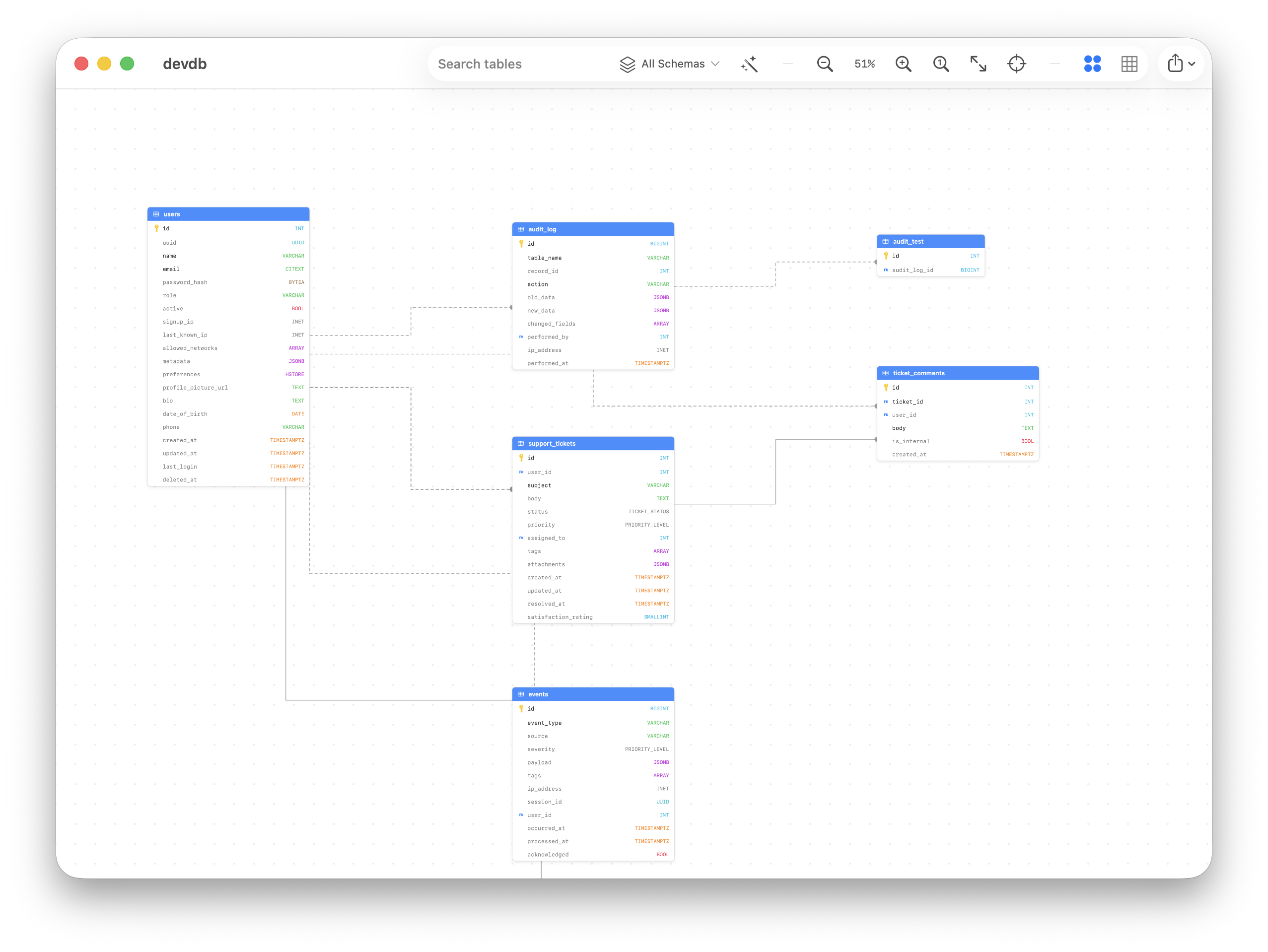
Relay auto-generates entity relationship diagrams from foreign keys. You can zoom, pan, search, and filter by schema.
Query Plan Analyzer
I built a visual analyzer for PostgreSQL EXPLAIN ANALYZE that renders an interactive tree. It highlights slow nodes, bad estimates, and likely missing indexes.
Engine-Specific Workflows
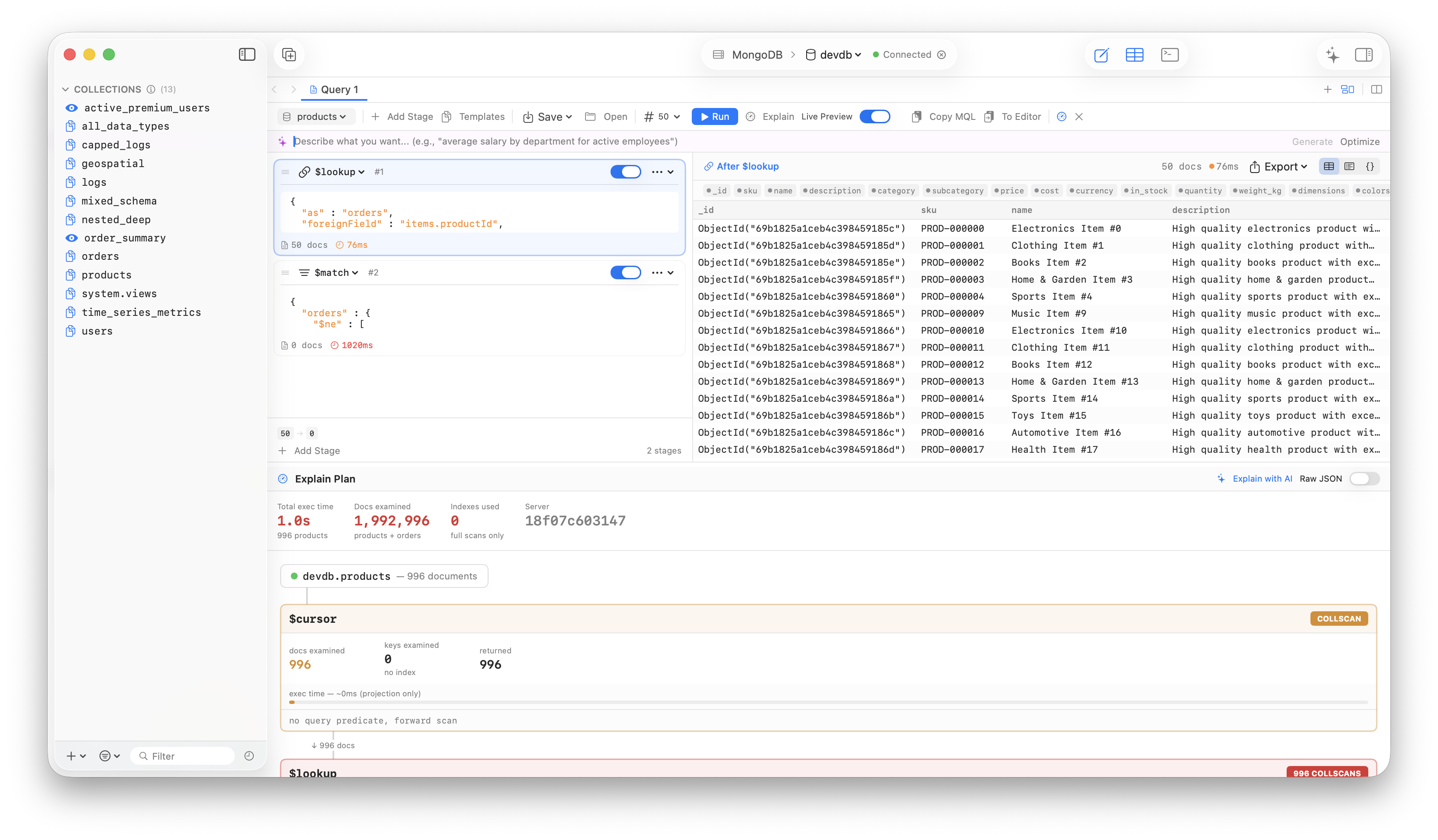
- MongoDB: Build aggregation pipelines stage by stage, preview results live, and export to JSON or MongoDB views.
- Redis: Browse keys, inspect TTL and memory, open Pub/Sub and MONITOR views, and track slow commands.
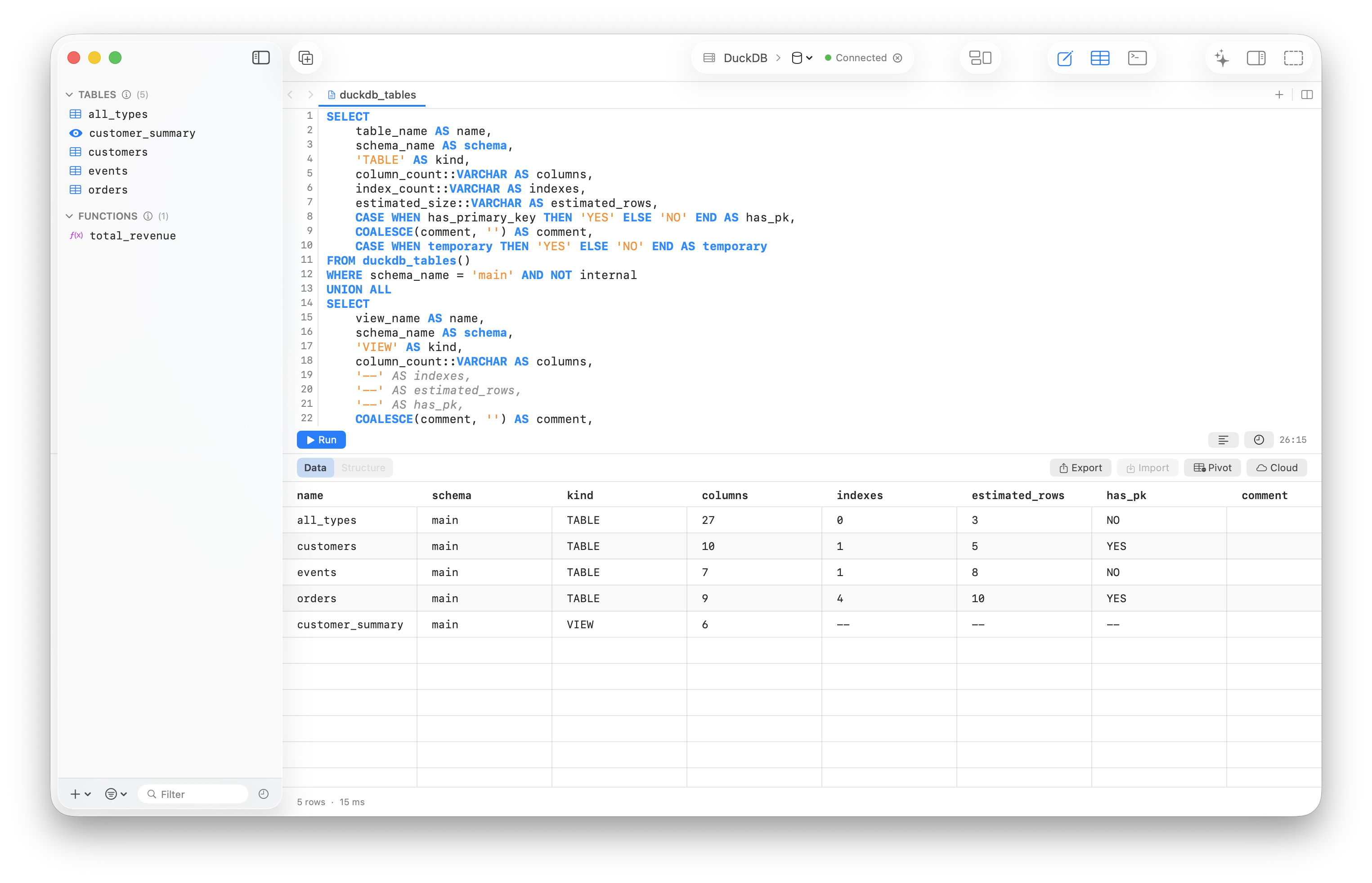
- DuckDB: Query Parquet, CSV, and JSON directly, inspect Parquet metadata, build pivots, and browse S3, GCS, or Azure files.
- Geospatial: Visualize and query MBTiles and other geo formats natively.
Secure Connections
- SSH tunnels
- SSL/TLS with client certificates
- macOS Keychain-backed secrets
- Your credentials stay on your machine
Change Tracking & Import/Export
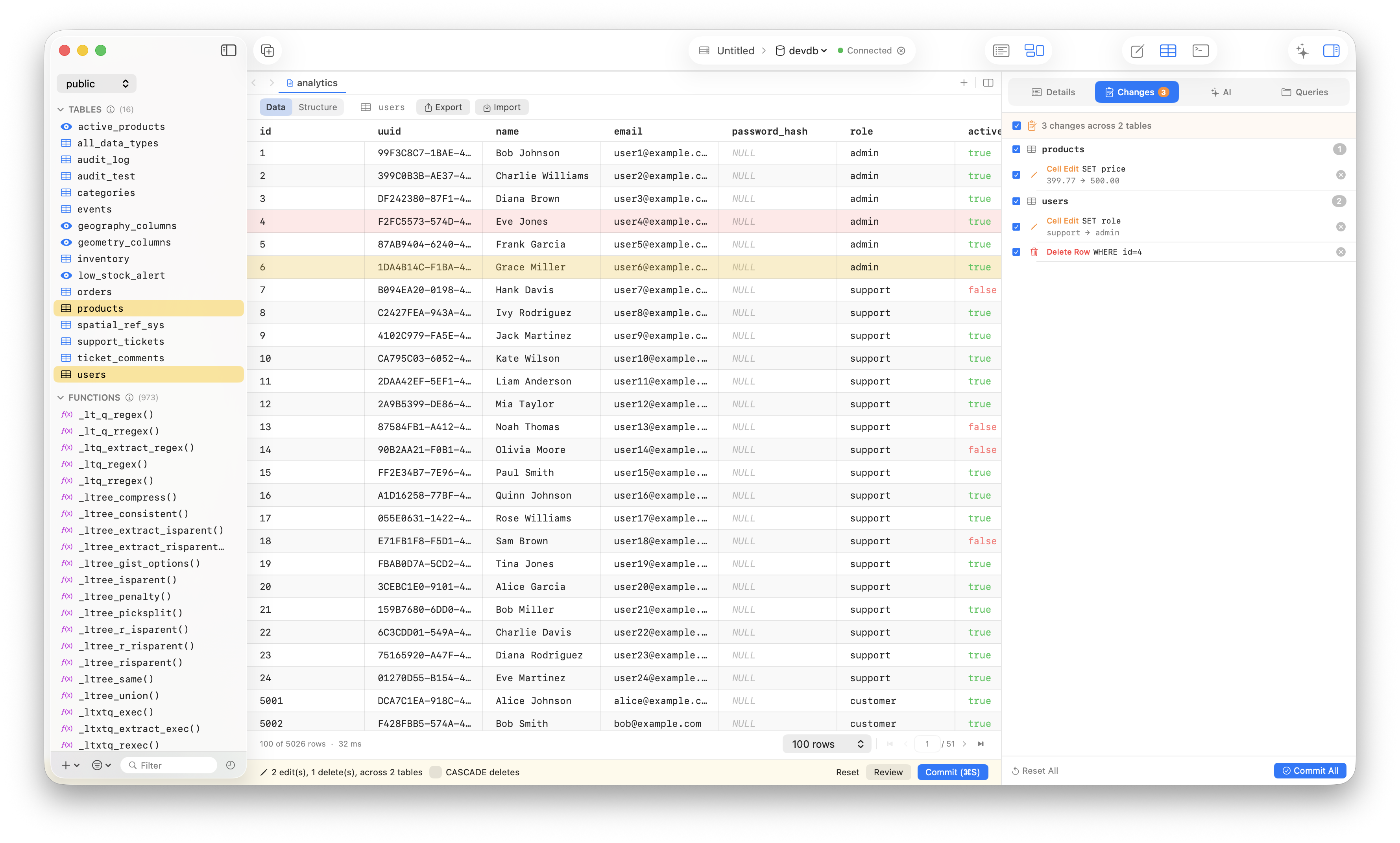
- Review every insert, update, and delete before committing
- Inline diffs with undo support
- Import CSV, TSV, JSON, and engine-specific files
- Export result sets and generated data
Query & Connection Management
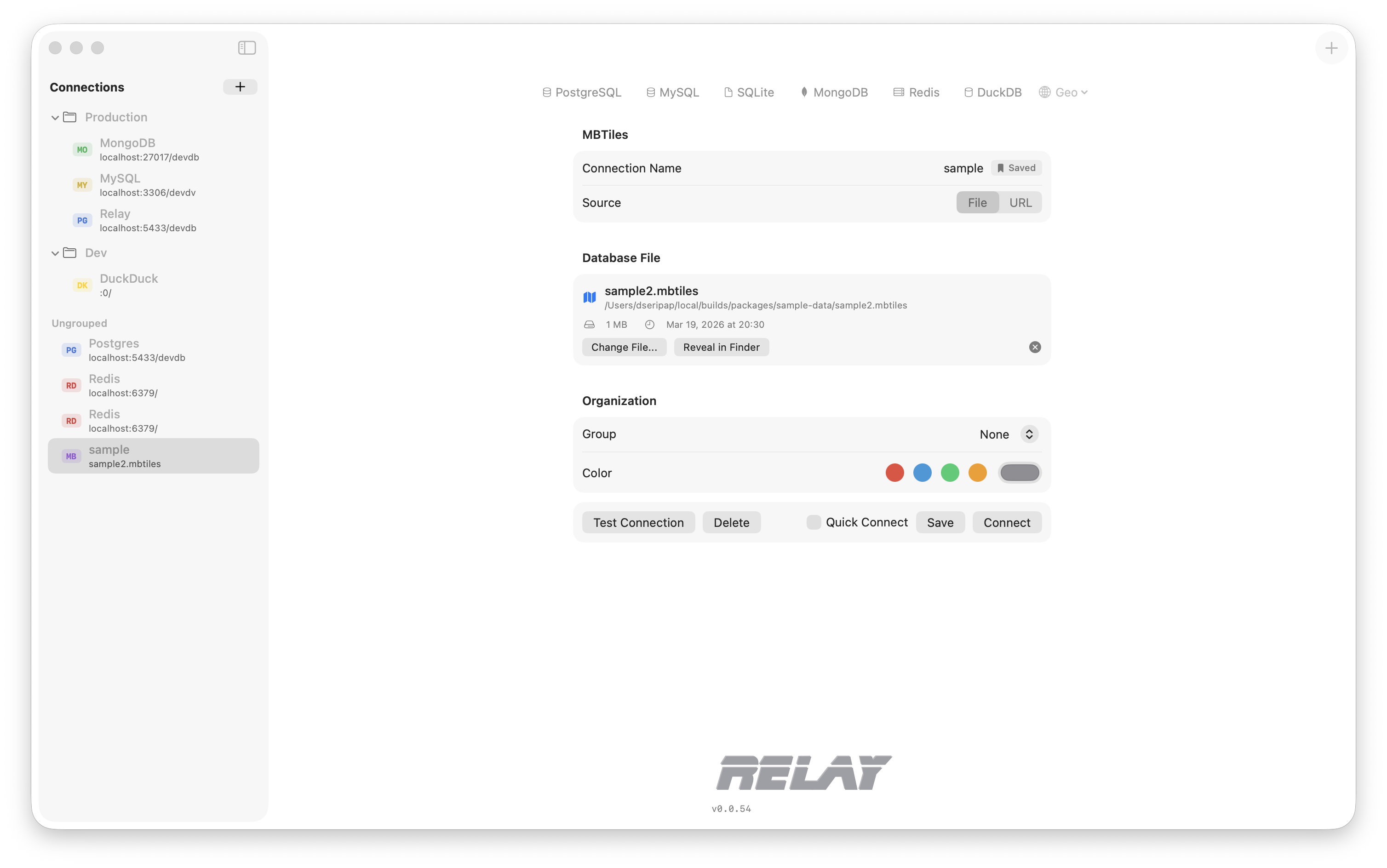
- Save, group, search, and reopen queries
- Per-connection history
- Group and color-code connections
- Import/export configs
- Keep your workspace organized
Pricing
One year of full access, $89.99 per user/device. Includes all features, updates, and support for the year.
Get Started
Relay is ready to supercharge your database workflow on macOS. Try it today and experience the difference a native app makes.
I’d love to hear what you think. Stay tuned for more updates.